SAFETY SENSORS
Safety sensors are not ordinary sensors. They are built to fail safe and are certified for it. Using the wrong part, or wiring it wrongly, defeats that design.
PART 21 OF 25 | 4 MIN READ | BY SUBODH RAJ
Safety: This page is general information. A safety function must be designed and validated by a competent person against the current standards for your machine.
Do
- Choose a safety-rated device with the performance level required by your risk assessment (PL a to e under ISO 13849, or SIL under IEC 62061).
- Use a safety relay or safety PLC to monitor the device. It checks for wiring faults and welded contacts.
- Calculate the safety distance for light curtains and scanners from the stopping time of the machine.
- Test the function regularly and keep records.
Don't
- Do not use ordinary proximity sensors or limit switches for guarding.
- Do not bypass an interlock for convenience. Coded RFID interlocks exist to make that hard.
- Do not mount a light curtain where a person can step between the curtain and the hazard.
- Do not use series wiring for many devices without checking the resulting performance level.
Quick guide to each device
| Device | Protects against | Note |
|---|
| Light curtain | Hands or body entering a press or cell | Resolution (14 mm for fingers, 30 mm for hands) |
| Laser scanner | People near AGVs and cells | Warning zone plus protective zone |
| Interlock switch | Opening a guard | Coded types resist tampering |
| Pressure mat | Stepping into a cell | Sensing area on the floor |
| Safety edge | Crushing at door edges | Soft strip trips on contact |
| Safety radar | Dusty or outdoor areas | Not affected by light or dust |
| Two-hand control | Hands near a press | Both buttons must be pressed together |
| Enabling switch | Robot teaching | Three positions, panic on squeeze |
The emergency stop does not replace protective measures. It is a last resort, and its circuit should be monitored so that a fault is noticed.
The 13 sensors in this part
Each card below shows the sensor in use, what it is and how it works, and where you will find it.
SENSOR 1 OF 13
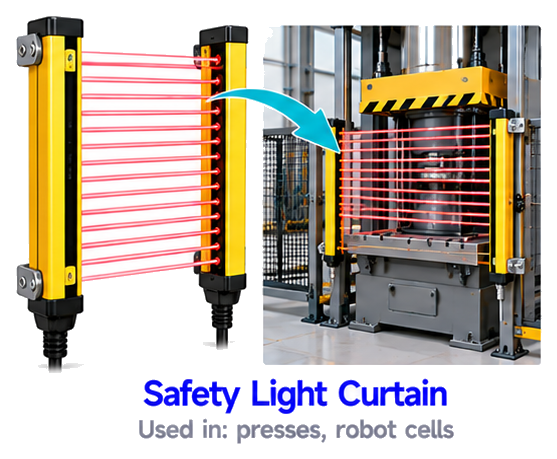
Safety Light Curtain
A safety light curtain makes a curtain of invisible infrared beams between transmitter and receiver. If a hand or body breaks any beam, the machine stops immediately. It allows free access to the operator when the machine is safe and protects people near presses and robot cells.
USED IN
pressesrobot cells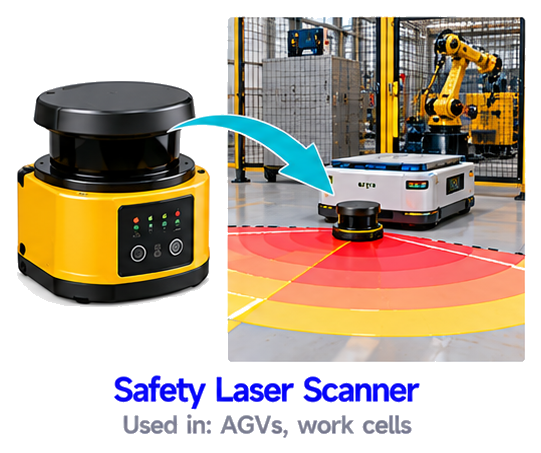
SENSOR 2 OF 13
Safety Laser Scanner
A safety laser scanner sweeps a laser beam around a wide area and measures distances. It has protective zones and warning zones. If a person enters a zone, the machine or vehicle slows down or stops. It protects people around AGVs and work cells.
USED IN
AGVswork cells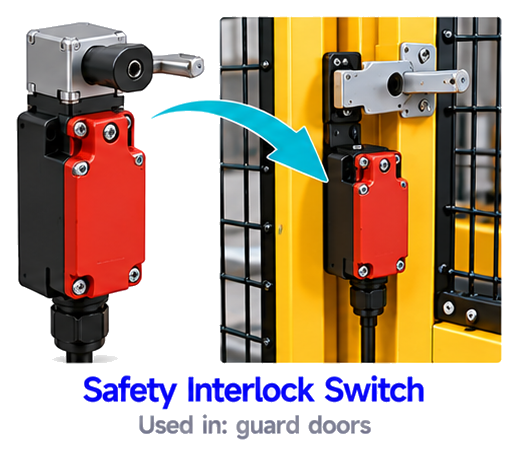
SENSOR 3 OF 13
Safety Interlock Switch
A safety interlock switch is fitted on a guard door. The machine can start only when the door is closed. If the door is opened during operation, the switch cuts the safety circuit and stops the machine. It stops people from reaching dangerous parts.
USED IN
guard doors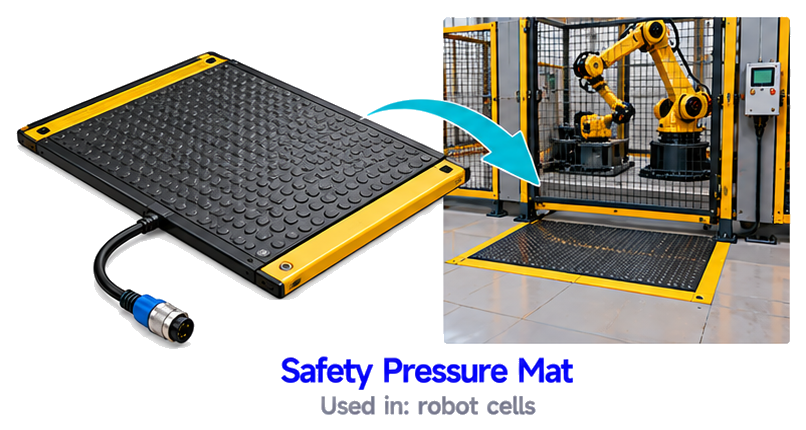
SENSOR 4 OF 13
Safety Pressure Mat
A safety pressure mat senses when someone steps on it. The mat has conductive layers that touch under weight and change the signal. If a person enters a danger area, the machine stops. It is used around robot cells and machines.
USED IN
robot cells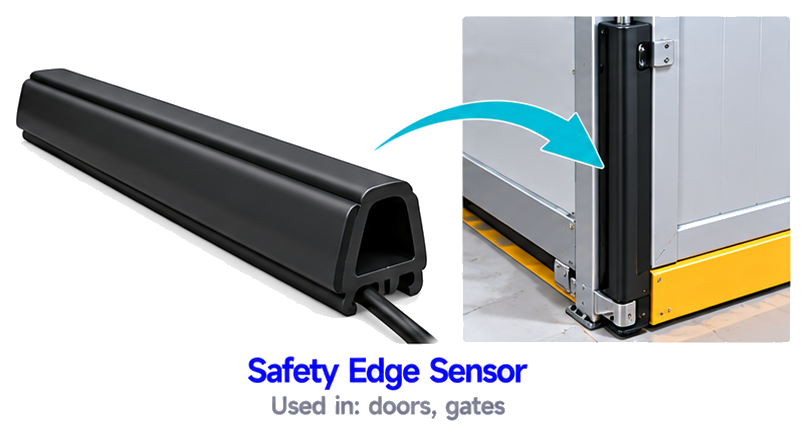
SENSOR 5 OF 13
Safety Edge Sensor
A safety edge sensor is a soft strip on the edge of a door, gate or moving machine part. When it touches an object or a person, the strip is pressed and the signal stops the movement. This prevents crushing and trapping injuries.
USED IN
doorsgates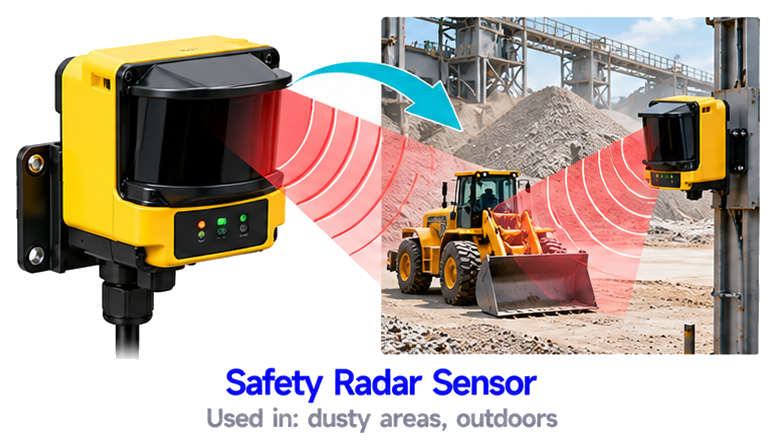
SENSOR 6 OF 13
Safety Radar Sensor
A safety radar sensor uses radio waves to detect movement of people in a protected area. It is not affected by dust, rain, fog, light or temperature. So it works reliably outdoors and in dirty places where optical sensors can fail.
USED IN
dusty areasoutdoors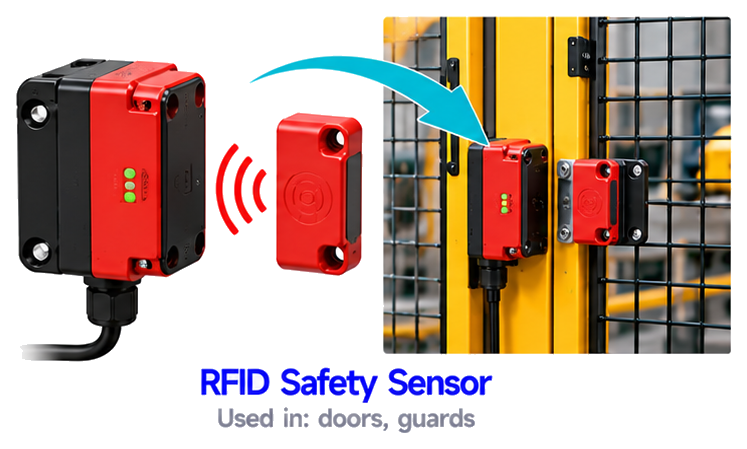
SENSOR 7 OF 13
RFID Safety Sensor
An RFID safety sensor has a coded tag and a reader mounted on a door and its frame. The machine can run only when the matching coded tag is next to the reader. The unique code makes it very hard to cheat or bypass, which improves safety.
USED IN
doorsguards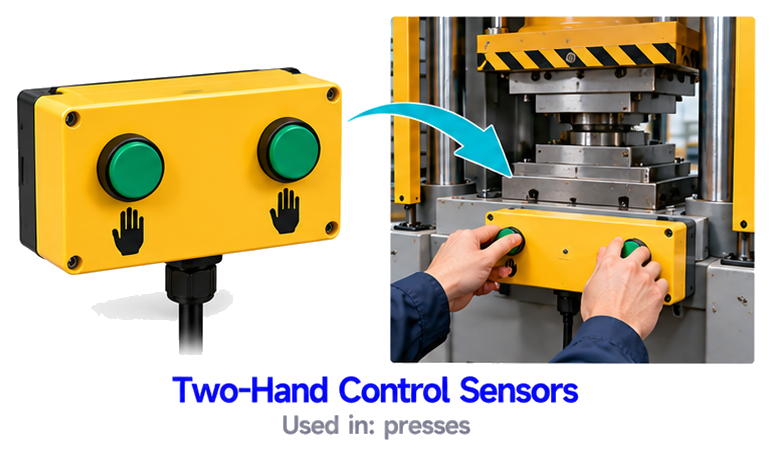
SENSOR 8 OF 13
Two-Hand Control Sensors
A two-hand control needs the operator to press two buttons at the same time, using both hands. It keeps both hands away from the danger zone while the machine moves. If either button is released, the machine stops. It is used on presses.
USED IN
presses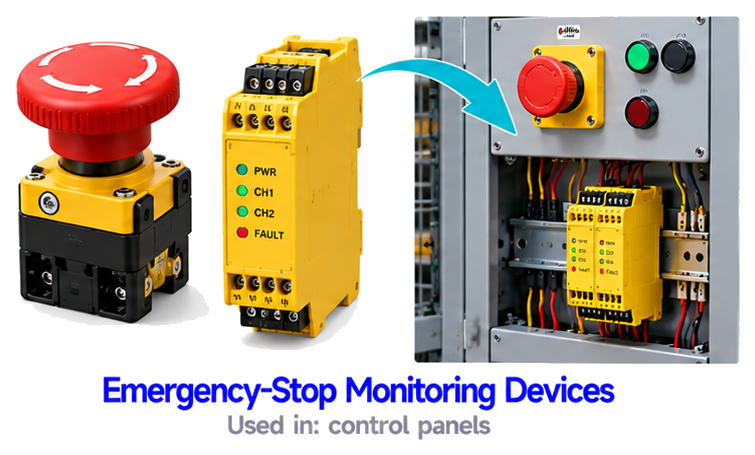
SENSOR 9 OF 13
Emergency-Stop Monitoring Devices
Emergency-stop monitoring devices check that the emergency-stop buttons and their circuits are healthy. They detect broken wires, short circuits and faulty contacts. If a fault is found, they make sure the machine stays safely stopped.
USED IN
control panels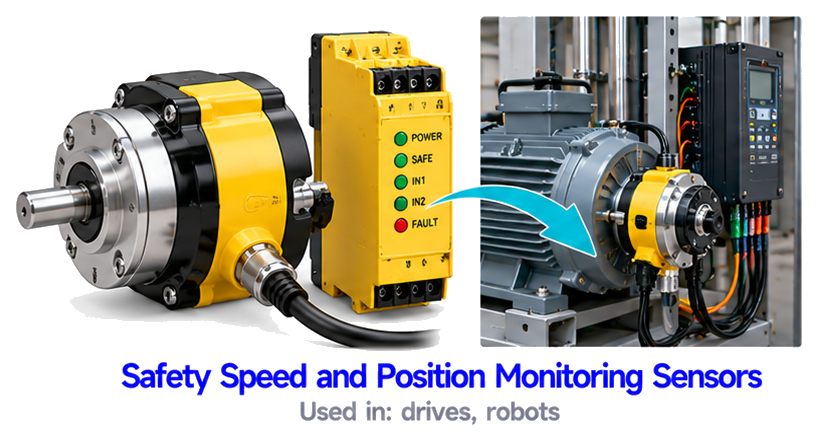
SENSOR 10 OF 13
Safety Speed and Position Monitoring Sensors
Safety speed and position monitoring sensors keep a check on a machine's speed, position or standstill. If a limit is crossed, they trigger a safe stop. This protects people working near moving axes, such as on robots and drives.
USED IN
drivesrobots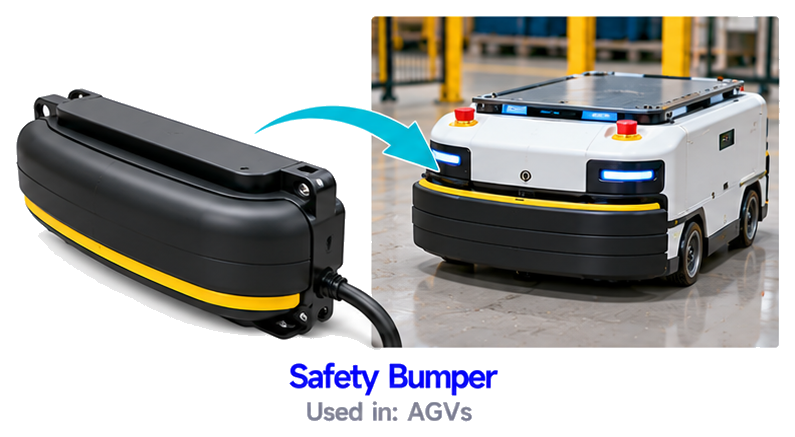
SENSOR 11 OF 13
Safety Bumper
A safety bumper is a soft or hard bumper on the front of an AGV or vehicle. When it touches a person or object, it presses a switch and the vehicle stops at once. It is a last-line protection after other sensors.
USED IN
AGVs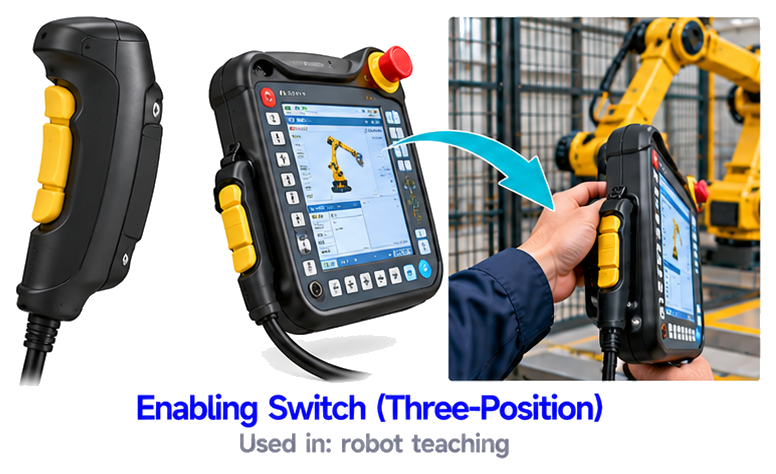
SENSOR 12 OF 13
Enabling Switch (Three-Position)
An enabling switch (three-position) has three positions: off, on and panic. The machine can move only when the switch is held in the middle position. If it is released or squeezed hard, the machine stops. It is used when teaching robots.
USED IN
robot teaching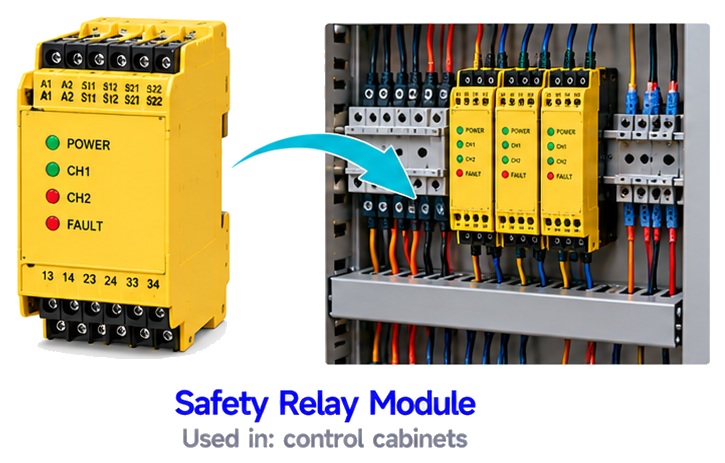
SENSOR 13 OF 13
Safety Relay Module
A safety relay module monitors the safety inputs such as emergency stops, light curtains and door switches. It checks them for faults and, if everything is safe, allows the power to the machine. If not, it cuts the power with reliable, redundant contacts.
USED IN
control cabinetsWant all 250+ sensors in one place?
The Master Sensor Handbook explains every sensor with its picture, definition and where it is used.
Buy the Master Sensor Handbook | INR 199Tap the button to message us on WhatsApp
Written by Subodh Raj,
EngineerX Academy. Part 21 of 25 in the Industrial Sensors series.
Comments
Post a Comment